
For years the Postman Free plan was the quiet default for small teams: a shared workspace, a handful of collaborators, no invoice. On 1 March 2026 that ended. Postman retired its Basic and Professional plans, introduced Solo and Team, and limited the Free plan to a single user. If your two- or three-person team shared a free workspace, the next renewal is the moment to decide what to do.
This post is the short, practical version: what changed, what it costs a small team now, and the three options worth considering, including a checklist for exporting everything if you decide to move. We make Apiboo, one of the alternatives, and we say plainly where staying with Postman is the right call. Every Postman fact here was checked against Postman’s own pricing and billing pages in October 2026; check them again before you decide, because the details of legacy plans keep changing.
What changed in March 2026
- The Free plan is for one user and cannot create a team. Collaboration features need a paid plan.
- Two new plans replaced Basic and Professional: Solo at $9 per month for one person, and Team at $19 per user per month billed annually (more when billed monthly).
- According to Postman’s plan documentation, existing free teams were made read-only, with one admin keeping edit rights until the team moves to a paid plan or splits up.
- Legacy Basic and Professional subscriptions move to the new plans at renewal, so for many teams the change arrives on the invoice date, not on 1 March.
- Postman v12, released a few days later, brought Native Git for team workspaces, so collections can live as files in your repository. That is a real improvement, but it is tied to team workspaces, which are a paid feature.
What it costs 3, 5 and 10 people
On the Team plan at $19 per user per month billed annually, the yearly bill is easy to work out, and it is the number to compare everything else against:
- A team of 3: $57 per month, $684 per year.
- A team of 5: $95 per month, $1,140 per year.
- A team of 10: $190 per month, $2,280 per year.
- Solo at $9 per month is $108 per year per person, but Solo workspaces are single-user: three people on Solo do not share a workspace, they have three separate ones.
Option A: pay for Team
If Postman is central to your work, paying is the honest answer, and $19 a seat is not outrageous for a tool you live in. It is the right choice when you rely on Postman’s monitors, governance and public API network, when your CI is built on the Postman CLI, or when the collections are shared with people outside engineering who will not install anything else. Budget for the per-seat price at your real headcount, including the designer who opens Postman twice a year.
Option B: go solo and share through Git
A small team can stay on Postman Free or Solo by giving up the shared cloud workspace and sharing collections as files instead: export a collection, commit it to the repository next to the code, and have everyone import it. It works, and it costs nothing. The cost is friction: every change is an export, a commit and a re-import for everyone else, environments travel separately, and two people editing the same collection means a JSON merge nobody enjoys. Native Git in v12 would solve exactly this, but it needs a team workspace.
Option C: switch to a tool where sharing is cheaper
The third option is to move to a client whose team story fits a small team’s budget. The candidates, with their list prices in October 2026 (check before buying):
- Insomnia — Essentials is $0 and includes Git Sync projects for up to 3 users; Pro is $12 per user per month.
- Bruno — collections are plain-text files in your repository, so a team shares them through Git it already pays for; Pro $6 and Ultimate $11 per user per month add the in-app Git UI and more.
- Hoppscotch — free cloud tier or the self-hosted Community Edition; Organization $6 per user per month.
- Yaak — free for personal use, with a work licence of $149 per user per year; teams share workspaces through Git.
- Apiboo — every local tool is free with no account, and Git sync of collections, documents and boards is free because it runs on your machine; Pro adds live shared workspaces with one team of up to three people, and the Team plan covers larger teams.
How to export everything from Postman
Whatever you decide, export your data before the renewal date, while every member still has edit access. A read-only team can still export, but it is easier with the people who know the workspaces around.
- Collections: open each collection’s menu and choose Export, Collection v2.1. Do it per collection; the v2.1 format is what every other client reads.
- Environments: export each environment from the Environments tab. Secret values are included in the file, so treat the exports as secrets and delete them when you are done.
- Globals: export them from the same place; most tools import them as an extra environment.
- The whole account: Postman’s settings offer a full data export of all your collections and environments in one archive, handy as a backup even if you import per collection later.
- Scripts and saved examples travel inside the collection export; monitors, mock-server configuration and documentation pages do not, so note down what they did.
- Check what you forgot: public workspaces, forks and anything in a teammate’s personal workspace that the team actually depends on.
If you move to Apiboo
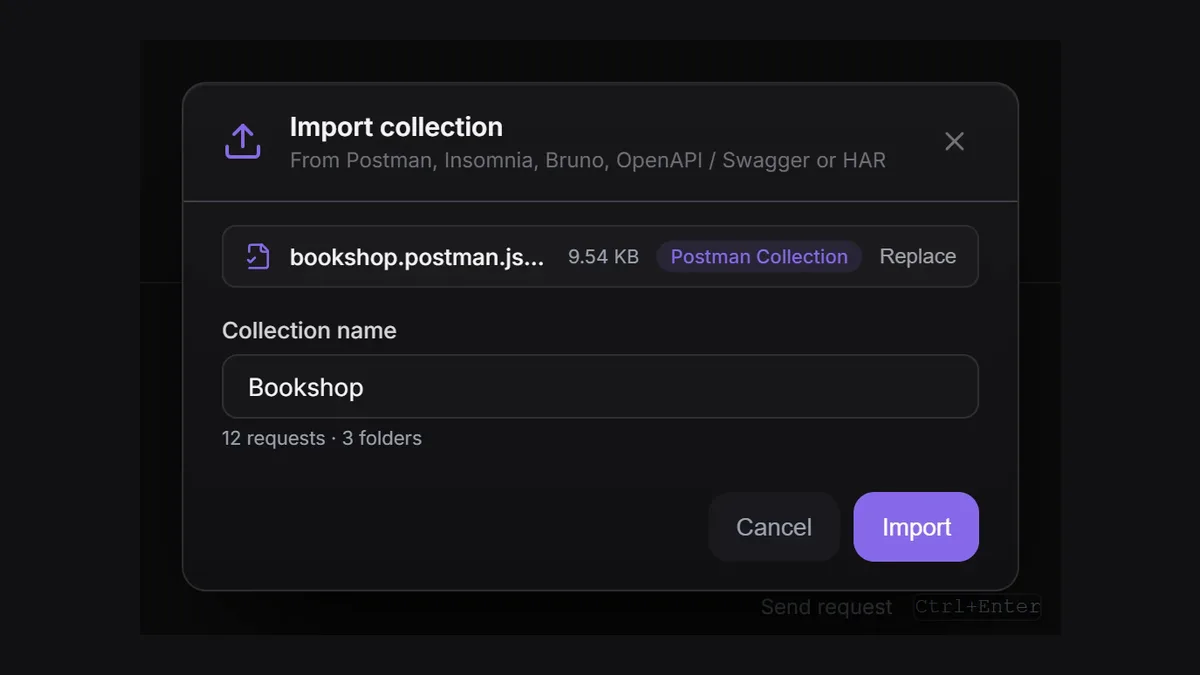
Drop the collection and environment exports on the API Client sidebar, or use Import collection. Folders, collection and folder variables, auth (Bearer, Basic, API key, OAuth 2.0), pre-request and test scripts and saved responses come across; an environment export becomes an environment. Postman’s secret flag is not part of its export, so mark sensitive variables as secret again after the import. Scripts written for pm.* run unchanged in Apiboo’s sandbox, with a short list of exceptions covered in our migration guide at apiboo.com/blog/migrate-postman-workspace.
What you will miss: Postman’s monitors, governance and public API network have no equivalent in Apiboo, and its collection runner has no iterations or data files yet. If those carry your workflow, Option A is the better choice. The feature-by-feature comparison is at apiboo.com/compare/postman.
Try it with your own work
Export one collection and its environment from Postman, drop both on Apiboo, and run the requests you used this week with your colleagues. If a free local workspace plus Git covers what the shared Postman workspace did, you have your answer before the renewal lands.
Download Apiboo for Windows, macOS or Linux at apiboo.com/download. It is free to start, with no card and no account: every tool runs on your own machine, and you only sign in when you want sync or a team.