
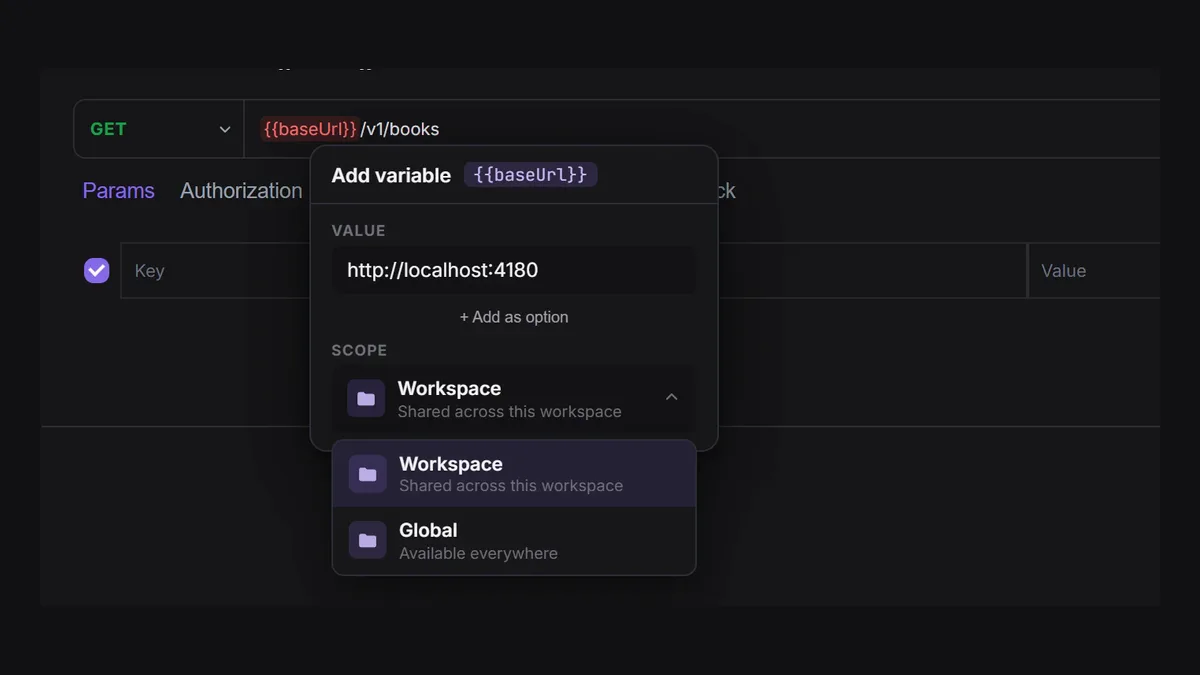
Moving an API workspace is like moving house: the furniture is easy, the loose cables are where things go missing. The collections export in a click; the variable that only existed in one person’s globals, the secret flag that is not in the file, and the one pre-request script that fetches a token are what break on the first day in the new tool.
This guide walks through a Postman migration into Apiboo end to end: what to export, what comes across, which Postman script calls run unchanged and which need a small edit, and how to prove that the collection still works before you uninstall anything. We make Apiboo; the import details below match its documentation at apiboo.com/docs/apis/import-export as of October 2026.
Step 1: export from Postman
Export while everyone still has edit access to the workspace, and keep the files together in one folder.
- Each collection: Export as Collection v2.1 (v2.0 imports too). Folders, variables, auth, scripts and saved examples are inside the file.
- Each environment: export it from the Environments tab. The file contains the current values, including secrets, so store it like a secret.
- Globals: export them too; they import as an environment you can rename.
- Optional: Postman’s settings offer a full data export of your account as one archive. Keep it as a backup.
- Write down what is not in any file: monitors, mock-server settings, documentation pages and the names of public workspaces.
Step 2: import into Apiboo
Drag the collection file onto the API Client sidebar and let go when it says Import into Apiboo, or open Import collection from the sidebar’s menu for the preview. Apiboo recognises the format from the file’s content. The preview shows the collection name, the number of requests and folders, and Notes for anything that could not be carried over, for example a binary body or an auth type it does not support.
What comes across from a Postman collection: folders at any depth, collection and folder variables, auth on the collection, folders and requests (Bearer, Basic, API Key and OAuth 2.0), pre-request and test scripts at every level, and saved responses as mock examples that the local mock server can answer. Import each environment file the same way: it becomes an environment with all its variables and is selected for you.
One thing to do right after: Postman’s secret flag is not part of its export, so every imported variable arrives as a normal one. Open the variables table and mark tokens and passwords as secret again. From then on a script cannot read them unless you click the code icon on that row to allow it.
Step 3: which pm.* calls work unchanged
Imported scripts are not rewritten. Apiboo’s sandbox understands pm.* next to its own boo.* API, so most scripts run as they are. The calls that work as in Postman:
- pm.test, pm.expect with equal, eql, deep.equal, a(type), above, below, least, most, include, match, oneOf, lengthOf, property, keys, members, exist, ok, true, false, null, undefined, empty, and not with exist, ok, equal, include and status.
- pm.environment.get, set, unset and has; pm.variables.get, set, unset, has and replaceIn, including the dynamic variables {{$guid}}, {{$randomUUID}}, {{$timestamp}}, {{$isoTimestamp}} and {{$randomInt}}.
- pm.response.code, responseTime, json(), text(), headers, to.have.status, to.have.header, to.have.jsonBody and to.be.ok().
- pm.request.url, method and headers.
- pm.sendRequest in pre-request scripts, with a callback, {{variables}} in the URL, header as an object or list, and a plain object body sent as JSON.
- pm.info.requestName and pm.info.requestId.
Step 4: the calls that behave differently
These are the known differences, and what to change if a test depends on them:
- pm.globals and pm.collectionVariables behave like pm.environment: a value you set lasts for the session and is not written into the collection or the globals. To keep a value, put it in the environment by hand.
- pm.response.status is the status text ("OK"), as in Postman; use pm.response.code for the number.
- pm.response.to.be.ok() is a function call. Written without brackets, as many Postman scripts do, it checks nothing and the test passes, so add the brackets.
- Only the assertions listed above exist. A chain such as to.be.at.least fails the test with an error; a state that is not supported, such as not.be.empty, is ignored.
- pm.cookies, pm.iterationData and pm.setNextRequest are present but do nothing. Tests that read a CSV through iterationData need another approach for now.
- pm.sendRequest is pre-request only: in a post-response script it stops with "not available in this context". It uses a callback, not a promise, and a script may make up to 5 calls.
- Collection- and folder-level scripts come in with the import, but they run under Run Collection only. When you send a single request, only the request’s own scripts run.
- console.log output is not shown anywhere. Put the value into a test name or a variable to see it.
- A script may run for 5 seconds (30 seconds while a request is out), and it has no network access beyond pm.sendRequest.
Step 5: fix the token script, or delete it
The script most teams carry over is the one that fetches a short-lived token before every request. It works unchanged if it uses pm.sendRequest with a callback and pm.environment.set, as long as the client secret it reads is allowed for scripts (the code icon on the secret’s row). Apiboo waits for the callback before it sends, so the fresh token is used.
Often you do not need the script at all. If the API uses OAuth 2.0 client credentials or authorization code with PKCE, set the request’s auth to OAuth 2.0: Apiboo gets the token for you and fetches a new one when it has expired. AWS Signature v4 and mTLS client certificates are built in too. Fewer scripts means fewer things to maintain.
Step 6: check with the runner
Before you call the migration done, run the whole collection against the same environment you used in Postman and compare the Test Results with the last Postman run. Run Collection runs the collection’s and folders’ scripts from the outside in, then each request’s, so this is also the only place collection-level scripts are exercised. A request whose pre-request script fails is not sent, and the notification tells you so.
Known limits of the runner today: no iterations, delays or data files, and it is interactive, not a CLI. If your CI used Newman, keep that pipeline until you have replaced it; the collection export in Postman v2.1 format keeps it working while both tools are in use.
Do not forget
- Mark secrets as secret again, in every environment.
- Delete the environment export files once they are imported; they hold real values.
- Keep Postman installed for a week. If nobody opens it, the migration is finished.
- Collections can go back out as Postman v2.1, Insomnia v4, a Bruno folder or OpenAPI, so you are not locked in on the other side either.
Try it with your own work
Start with the collection you used most this week: export it and its environment, drop both on Apiboo, mark the secrets, and run it. The preview and the Test Results tell you in minutes whether the rest of the workspace will follow without trouble.
Download Apiboo for Windows, macOS or Linux at apiboo.com/download. It is free to start, with no card and no account: every tool runs on your own machine, and you only sign in when you want sync or a team.